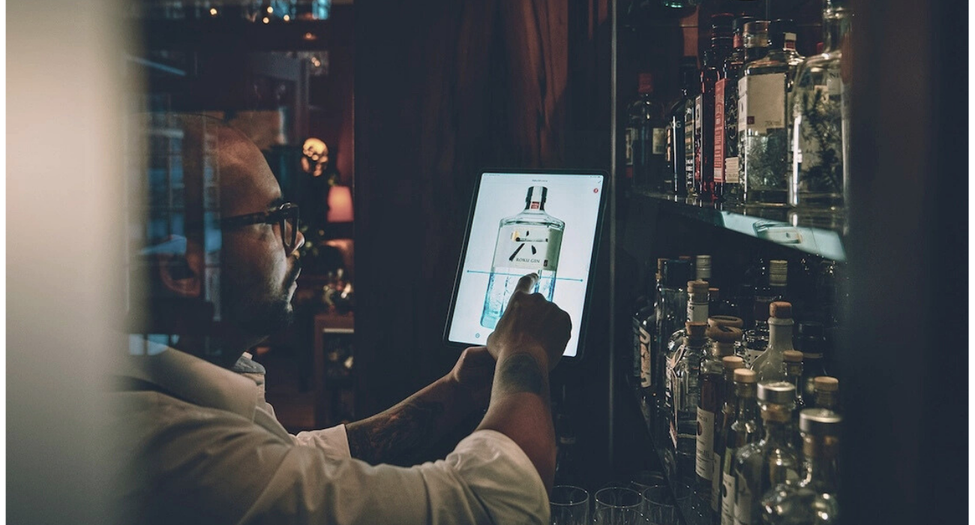
You run a restaurant, bar or café and are wondering whether it’s time for a modern POS system? The right POS system for hospitality changes more than the payment process – it determines receipt turnaround time, how well you can analyse your sales and whether you can stay calm during an unannounced POS inspection (Kassen-Nachschau). This comparison shows you the system types, the prices of seven providers with source and date – and the start-up costs that aren’t in any list price.
Why your venue needs a modern POS system
A modern POS system doesn’t just process payments. It documents every receipt, makes reconciliation with the stocktake easier and gives you sales data in real time.
Legally decisive: since 1 January 2020, the German Cash Register Security Ordinance (KassenSichV) has required electronic recording systems to be protected by a certified technical security device (TSE). The TSE is certified by the Federal Office for Information Security (BSI). Current systems include it; older cash registers often do not.
Often overlooked: the registration obligation. Since 1 January 2025, every electronic recording system with a TSE must be registered with the responsible tax office (Finanzamt) (German Fiscal Code, AO, § 146a(4)). For systems purchased or retrofitted before 1 July 2025, the deadline expired on 31 July 2025; devices purchased since 1 July 2025 must be registered within one month. Registration is only valid electronically via “Mein ELSTER” or the ERiC interface – email or paper do not count. The details are summarised by the Federal Ministry of Finance in its FAQ on the cash register law. If you switch systems, this point belongs in your migration plan.
What a modern system brings to everyday operations:
- Faster service and shorter waiting times at the till
- Fewer errors in ordering and billing
- Analysable sales data by time, dish and team member
- Tamper-proof storage via the TSE
- Interfaces to accounting, delivery services and inventory management
Types of POS systems in hospitality
Stationary POS systems
Permanently installed hardware: touchscreen, cash drawer, receipt printer. Robust and independent of mobile connectivity, but inflexible and space-consuming. Suitable for venues with fixed till points and high throughput.
Tablet and iPad systems
Software on standard tablets. The team takes orders at the table and takes payment there. Low hardware costs, modern operation – but dependent on Wi-Fi and battery life. Usually the best choice for cafés, bars and smaller restaurants.
Cloud systems
Data is stored with the provider rather than locally. Automatic updates, access from anywhere, central management of several sites. A stable internet connection is required – and an offline mode in case it fails.
Features that matter in hospitality
- Table management: which tables are occupied, which orders are open
- Splitting and transferring: split bills, move items between tables
- Multiple payment methods: cash, card, mobile payment
- Offline operation: keeps working during an internet outage and syncs afterwards
- Reports: sales by time, item and team member
- KassenSichV compliance: TSE integrated, receipt issuing implemented
- Interfaces: accounting, delivery services, inventory management
- Multi-site capability: if expansion is planned
Pricing models at a glance
Providers bill according to completely different logics. These four models cover most of the market:
| Pricing model | Running costs | Purchase | Suits |
|---|---|---|---|
| Subscription per device | Monthly licence per till point, often tiered by feature set or number of licences | Hardware separately or as a bundle | The standard case in hospitality |
| Subscription per venue | One licence for the site, regardless of the number of devices | Modules are added individually | More common for add-on modules than for the POS licence itself |
| Commission-based | No or low base fee, but a transaction fee per card payment | Low to zero | Low revenue, pop-ups, mobile concepts |
| Purchase with maintenance | Low monthly support fee | High one-off investment | Established venues with a long service life |
Providers compared: prices as of July 2026, Gastronovi updated in September 2026
The following figures are entry-level and package prices according to the providers’ public pricing pages. The VAT basis differs and is therefore stated – without it, the figures are not comparable.
| Provider | Entry price per month | VAT | What else is added | Suits |
|---|---|---|---|---|
| Vectron SMART | €34.90 base fee plus POS hardware from €24.90 | net | POS 7 or POS 8 incl. printer €39.90 each, POS Life €24.90. Two payment terminals included in the base fee. Card payments 1.29%, AMEX 1.9%. TSE, support and installation via specialist dealers | Venues looked after by a specialist dealer |
| ready2order | €35.90 per POS device plus €15.90 TSE package | net | €99 one-off activation. Optional hospitality package €23.90, cash book €13.90, digital receipt €7.90. Card payments via readyPay 1.23% | Venues that put together a modular set-up |
| SumUp | €0 with a 1.39% transaction fee | mixed | Payments Plus at €19 lowers the fee to 0.79%, worthwhile from around €3,500 monthly revenue according to the provider. POS Plus with hospitality features €39 net | Pop-ups, mobile bars, low revenue |
| Gastronovi | €69 first POS licence incl. kitchen display plus €14 cloud TSE | not stated | POS licences apply per device used and are tiered: €69 for the first, €59 each for the second to fifth, €49 each from the sixth. Weekly rate €25 from the second licence. The cloud TSE applies per site and includes 10,000 transactions. Modules are billed per venue: inventory management €129 plus €199 onboarding support or success-based plan from €39, multi-venue €119 plus €249 set-up, table reservations €99 or success-based plan from €29, ordering system €69 or success-based plan from €29, cash book €24, time tracking €19. Annual plan saves 17% according to the provider | Venues that want many modules from a single provider |
| Lightspeed Restaurant | €89 (Basic) | net | Core €159, Pro €249 for multi-site. Each additional licence €49. Payment processing individual | Larger venues and chains |
| orderbird PRO | €99.90 (Package S, 12-month term) | gross | Package M €139.90 with 2 licences, Package L €169.90 with 3 licences. Online TSE, onboarding and 24/7 emergency support included | Venues that want to buy support as part of the package |
| orderbird MINI | €9.90 first licence | gross | €4.90 per additional licence. Card payments via smartphone | Very small and mobile concepts |
| Hypersoft | on request | – | No public pricing page. The manufacturer’s documentation lists an mPOS Freestyle licence at €49 per month; reliable total prices are only available via an individual quote from the provider or a specialist dealer | Larger venues, hotels, stadiums |
Source: providers’ public pricing pages, checked in July 2026. The Gastronovi figures were updated on 11 Sep 2026 based on the provider’s price overview. On VAT: ready2order, Vectron, Lightspeed and SumUp POS Plus state net prices, orderbird gross. For Gastronovi, the basis is not clearly stated on the pricing page. Hypersoft does not publish prices; the licence figure mentioned comes from the manufacturer’s documentation. The current quote is always binding – double-check prices before making a decision.
Gastrofix no longer appears here: the brand was acquired by Lightspeed and is now part of Lightspeed Restaurant. If you come across older comparisons with separate Gastrofix prices, you are reading historical figures.
Other providers on the market include GastroSoft and DISH POS from the METRO group. Both publish prices that we were unable to verify directly on the manufacturers’ sites – which is why they appear here without figures. If you shortlist them, ask for a written quote and run it through the same calculation as below.
What the list price doesn’t show
For three of the seven providers, the advertised entry price is not the price at which the system actually runs:
- ready2order: the TSE package for €15.90 is mandatory. Real entry price: €51.80 net instead of €35.90, plus €99 activation.
- Vectron SMART: the base fee of €34.90 does not include POS hardware. With the cheapest device, the entry price is €59.80.
- Gastronovi: the cloud TSE costs an extra €14. Real entry price: €83 instead of €69.
The following calculation shows the pure software costs for one till point over twelve months, all values net. The gross orderbird figures have been divided by 1.19 for this. Card payment fees are not included because they depend on revenue.
| Provider | Monthly net | One-off | 12 months |
|---|---|---|---|
| SumUp POS Plus | €39.00 | €0 | €468.00 |
| ready2order incl. TSE | €51.80 | €99.00 | €720.60 |
| Vectron SMART incl. POS Life | €59.80 | €0 | €717.60 |
| Gastronovi incl. cloud TSE | €83.00 | €0 | €996.00 |
| orderbird Package S | €83.95 | €0 | €1,007.40 |
| Lightspeed Basic | €89.00 | €0 | €1,068.00 |
Own calculation based on provider prices as of July 2026, Gastronovi as of September 2026. Excluding hardware, training and card payment fees.
From the second till point, the ranking changes
Almost all providers bill per POS device, but tier additional licences differently. With Gastronovi, the first licence costs €69 and the second €59; the cloud TSE is charged once per site. With two till points, the same calculation therefore looks like this:
| Provider | Monthly net | One-off | 12 months |
|---|---|---|---|
| Vectron SMART, 2× POS Life | €84.70 | €0 | €1,016.40 |
| ready2order, 2 devices incl. TSE | €87.70 | €99.00 | €1,151.40 |
| orderbird Package M | €117.56 | €0 | €1,410.72 |
| Lightspeed Basic plus additional licence | €138.00 | €0 | €1,656.00 |
| Gastronovi, 2 licences incl. cloud TSE | €142.00 | €0 | €1,704.00 |
Own calculation, as of July 2026, Gastronovi as of September 2026. With ready2order, the TSE package covers all devices; with Vectron, hardware is added per device; with Gastronovi, the second licence costs €59 and the cloud TSE is charged once per site.
With two tills, the difference between the cheapest and most expensive offer is already around €690 a year – and the order is different from that for one device. That is why it pays to calculate with your actual number of devices rather than the entry price.
Two points put both tables into perspective: with SumUp, the price shifts into the transaction fee. At €20,000 card revenue per month, 1.39% generates around €278 in fees – more than any software licence here. And orderbird includes onboarding and 24/7 emergency support, which cost extra elsewhere. The lowest list price is rarely the cheapest solution. Nor does the licence total alone say anything about the feature set: if you use several modules from one provider, compare packages, not POS prices.
What a POS system doesn’t cover: stock and cost of goods
A POS system knows what was sold. It doesn’t know what is actually in the storeroom. This gap is exactly where the shrinkage arises that many venues only notice in the annual accounts. Stock modules usually update consumption arithmetically from sales data and recipes. Whether and how a counted stock can be set against this differs significantly between providers – in the demo, ask specifically about stocktake recording, breakage lists and target-vs-actual comparison. How large this difference becomes is shown in the article on shrinkage and breakage in hospitality.
The difference is also visible in the price: if you add the inventory management module at Gastronovi, you pay €129 per month per venue plus a one-off €199 onboarding support fee; alternatively there is a success-based plan from €39 per month including 50 ingredients. The costing and purchasing system modules are included. What an inventory management system must do and how it differs from POS and ERP is covered in the article on inventory management in hospitality.
That is why it pays to think about POS selection and stock management separately. BarBrain is not a POS system and not a solution certified under the Cash Register Security Ordinance, but stocktaking software: it records real stock on mobile – including a fill-level slider for opened bottles – and runs alongside any POS, without you having to switch your existing system. How the process is set up is described in the stocktaking guide for hospitality, and the metric behind it in the article on calculating cost of goods.
What to look out for when comparing
1. Identify mandatory modules
Ask for every quote: what is not included in the base price but still mandatory? TSE, POS hardware, cash book and receipt issuing are the typical candidates.
2. Check the billing logic
Per device or per venue, and how does the tiering work from the second licence? With several till points, these questions make a difference of several hundred euros a year. Bear in mind that the POS licence and add-on modules may follow different logics.
3. Usability
The best system is useless if it is too complicated. Your team must be able to use it after a short briefing. Ask for a demo in live operation, not a slide presentation.
4. Offline capability
What happens during an internet outage? A good system keeps taking payments and syncs as soon as the connection is back.
5. Interfaces
Accounting, delivery services, time tracking, stocktaking – check whether there are documented interfaces or only export files.
6. Support in German
When the till goes down on a Friday evening, availability is what counts. Check channels and hours, not just the promises on the website.
7. Data export
Can you get at your raw data at any time? A system without a clean export ties you in longer than you’d like.
KassenSichV, TSE and receipt issuing
Three obligations are regularly confused. They are connected but regulated separately:
- TSE obligation (AO § 146a(1), KassenSichV): electronic recording systems must log every transaction via a certified technical security device so that subsequent changes remain detectable.
- Receipt obligation (AO § 146a(2)): every guest must be offered a receipt – printed or electronic. Nobody has to take it.
- Registration obligation (AO § 146a(4)): the system must be registered with the tax office (Finanzamt) via ELSTER, within the deadlines mentioned above.
Breaches of the recording and security obligations are subject to fines under AO § 379; the amount depends on the individual case.
Whether a specific system meets the requirements cannot be answered across the board by type of system. Get the TSE certification and compliance confirmed in writing – for cloud systems, including where the TSE is operated. A clean stock list belongs to the same documentation chain: it proves what was in the storeroom and can be reconciled with the POS data.
Step by step to a decision
- Define requirements: number of till points, users, sites, delivery service yes or no, budget per month.
- Select three providers and calculate the total price for each, including mandatory modules, over 36 months – with your actual number of devices, not the entry price.
- Request a demo in live operation, ideally with your own item master data.
- Clarify migration: who transfers items and prices, how long does it take, will the team be trained?
- Don’t forget registration: after commissioning, register the new system via ELSTER.
Frequently asked questions
What does a POS system for hospitality cost?
For one till point, the pure software costs range from around €470 to €1,070 net in the first year depending on the provider; for two till points, from around €1,020 to €1,700 (as of July 2026, Gastronovi as of September 2026, excluding hardware and card payment fees).
Which POS system is the cheapest?
That depends on the number of devices. For one till point, SumUp is the cheapest, provided transaction fees stay low. For two till points, Vectron SMART comes out ahead. The order shifts because providers tier additional licences differently – and because the cheapest licence price says nothing about the features included.
Can I keep using my old POS system?
Only if it meets the requirements of the KassenSichV, in particular if it has a certified TSE. Breaches of the recording and security obligations are subject to fines under AO § 379.
Do I have to register my POS system with the tax office?
Yes. The registration obligation under AO § 146a(4) has applied since 1 January 2025. Registration is only possible electronically via “Mein ELSTER” or the ERiC interface.
Do I need a receipt printer?
Not necessarily. The receipt obligation can also be met electronically, for example via QR code or email. In practice, many guests still expect a paper receipt.
What is the difference between a POS system and inventory management?
The POS system records the sale. Inventory management controls purchasing, goods receipt and stock. Many POS systems come with a stock module; whether it can set calculated consumption against a counted stocktake differs between providers and belongs on your list of requirements.
Can I switch provider later?
In principle yes, but migration takes time. Before signing the contract, clarify in which format you can export item master data and sales data.
Conclusion
The choice is rarely decided by the list price. It is decided by three questions: which modules are mandatory, how billing works from the second licence, and how quickly someone can be reached when something goes wrong.
Calculate the total price for your actual number of devices over three years, get TSE compliance confirmed in writing and plan the ELSTER registration at the same time. And remember that the POS only delivers half of your figures – the other half comes from the storeroom.
.jpeg)
About the author
Max Möbius
Senior Operations Manager