The drinks supplier comes three times a week, the food supplier twice, and trips to the cash-and-carry happen by gut feeling. The shift manager writes the order on a scrap of paper, goods receipt is rarely checked against the delivery note, and at the end of the month nobody can explain why the cost of goods is suddenly 34% instead of 29%. This is exactly the gap that inventory management in hospitality closes: a system that connects purchasing, goods receipt, storage, consumption and sales into one continuous flow of data.
The term is used loosely in the industry. POS manufacturers call their stock module inventory management, ERP providers mean their entire back office, and stocktake tools use the term in their marketing too. This article sorts it out: what an inventory management system actually does, which modules matter in hospitality, which cost blocks are hidden in every offer and how to tell which system suits your venue.
What is inventory management in hospitality?
Inventory management is the systematic control of all movements of goods in a venue – from ordering to sale. An inventory management system (in German: Warenwirtschaftssystem, WWS or WaWi) is the software that records, values and makes these movements analysable. It answers four questions continuously and without estimates:
- What has been purchased? Quantity, price, supplier, date – from order and delivery note.
- What is currently in stock? Target stock from the running record, actual stock from the stocktake.
- What has been used? Calculated as opening stock + purchases − closing stock.
- How much of that was actually sold? From the sales data – the difference to consumption is shrinkage.
The decisive point: only the connection of these four data streams makes it inventory management. Counting stock alone is stocktaking. Filing invoices alone is accounting. Inventory management happens where purchasing data, stock data and sales data come together and variances become visible.
Inventory management, POS, ERP, stocktake software – what is the difference?
The four categories overlap but cover different core tasks. This distinction determines whether you replace a system or add to it:
| System type | Core task | Typical weakness in hospitality |
|---|---|---|
| POS system | Record sales, handle billing, comply with the German Cash Register Security Ordinance (KassenSichV) | Knows what was sold, but not the actual stock level. Stock modules usually update consumption arithmetically; whether and how a counted stock can be set against it differs from provider to provider. |
| Inventory management system | Control and value purchasing, goods receipt, storage and consumption | Classic systems come from retail and often only roughly map recipes, portioning and pouring losses. |
| ERP system | Map the entire business: finance, staff, purchasing, controlling | High implementation costs and long project timelines. Usually oversized for businesses with fewer than around 20 sites. |
| Stocktake software | Record and value actual stock quickly and precisely | On its own it does not cover the ordering process – only combined with delivery note and sales data does it become inventory management. |
In practice, most venues combine two systems: a POS for sales and an inventory management or stocktake solution for everything that happens behind the bar. Which providers cover which role is shown in the overview of the hospitality software landscape; the POS side is compared in the article on POS systems for hospitality.
The six modules that really matter
Providers like to list thirty features. For day-to-day work in the kitchen and at the bar, six of them are decisive – everything else is convenience:
| Module | What it does | How to recognise a good implementation |
|---|---|---|
| Item master data | Central product data with units, pack sizes and supplier item numbers | Conversion between order, storage and serving unit works automatically (crate → bottle → cl). |
| Purchasing and ordering | Order suggestions based on stock and consumption, orders per supplier | The order suggestion takes minimum stock and delivery rhythm into account, not just current stock. |
| Goods receipt | Record delivery notes, check prices and quantities against the order | Documents can be photographed or uploaded instead of typed in. Price variances are flagged automatically. |
| Stock management and stocktaking | Keep a running target stock, record actual stock in a stocktake | Mobile recording by several people at once, without counts getting lost. |
| Recipes and costing | Cost dishes and drinks from their ingredients, pass purchase prices through | A price change at the supplier automatically updates all affected costings. |
| Analysis and controlling | Cost of goods, shrinkage and stock value per area and period | Target-vs-actual comparison between calculated and counted stock instead of a plain stock list. |
Modules five and six are the real difference between a stock list and a management tool. Without recipe management and costing, you cannot say what consumption would even be normal for a given revenue.
Why Excel breaks down beyond a certain size
Inventory management in Excel works – up to a point. In our experience, that point is reached when one of these three conditions applies:
- More than about 150 active items: maintaining pack sizes, prices and conversion factors becomes a part-time job of its own.
- More than one site: as soon as two venues name the same items differently, comparative figures are worthless.
- More than one person counting: parallel file versions are the most common cause of stocktakes that do not add up in the end.
The second reason is the more serious one: an Excel file is a snapshot tool. It can show stock levels but cannot keep a history that a tax audit can trace. If you want to know what the tax office (Finanzamt) specifically wants to see, read the article on tax audits in hospitality.
What an inventory management system costs
Reliable price information is difficult because providers bill according to completely different logics: per site, per user, per module or as a percentage of cost of goods. You can only compare reliably if you break down all cost blocks individually:
| Cost block | What drives it |
|---|---|
| Licence or subscription fee | Number of sites, users and activated modules. Often tiered, frequently with a minimum term of twelve months. |
| Setup and data migration | Size of the item master data and state of the source data. The most expensive item for venues without a clean item list. |
| Interfaces | Connection to POS, accounting or supplier portals. Often charged separately. |
| Hardware | Scanners or tablets. Not needed for solutions that run on private or existing smartphones. |
| Training and support | Team size and turnover. In hospitality, with its high staff turnover, an ongoing rather than one-off cost. |
The most reliable basis for comparison is not the list price but the total per site per month over three years, including setup. For reference: at Gastronovi, the inventory management module costs €129 a month per venue plus a one-off €199 onboarding fee; alternatively there is a success-based plan from €39 a month including 50 ingredients. The costing and purchasing modules are included, and the Gastronovi POS is a prerequisite (as of 11 September 2026, source: the provider's price list). For BarBrain, the terms are publicly available on the pricing page.
Eight criteria for choosing a system
In demos, these eight points separate the systems that actually get used in the venue from those that lie idle after three months:
- Recording speed: how long does a complete stocktake take with the system? This figure determines acceptance in the team more than any report.
- Mobile usability: does the team count at the shelf or transfer figures from paper later? Transferring later is the most common source of errors.
- Simultaneous recording: can several people count in parallel in separate areas?
- Delivery note handling: do documents have to be typed in, or does the system recognise them automatically?
- POS integration: can sales data be imported to compare consumption with sales?
- Multi-venue capability: one shared item master across all sites but separate stock – or an island per site?
- Exportability: can you access your raw data at any time? A system without a clean export is a lock-in.
- Support after go-live: who sets up the item master data, and who is your contact when questions come up in week six?
GoBD: what the tax office expects from the system
Inventory management data is relevant for tax purposes as soon as it forms the basis for bookkeeping or stock valuation. The rules that apply are the GoBD – the German principles for the proper keeping and storage of books in electronic form. They are based on the Federal Ministry of Finance (BMF) circular of 28/11/2019, amended by the circulars of 11/03/2024 and 14/07/2025. The core requirements for every system: traceability, completeness, accuracy, timely recording, orderliness and immutability.
In practice this means: a count, once recorded, must not be overwritten without a trace. Corrections must remain recognisable as corrections. This is exactly where Excel solutions regularly fail.
Since the Fourth Bureaucracy Relief Act, the retention periods have to be distinguished:
| Type of record | Retention period |
|---|---|
| Inventories, books, annual financial statements | 10 years (Section 147(1) No. 1 AO, Section 257 HGB) |
| Accounting vouchers, including incoming invoices | 8 years – reduced from 10 years as of 01/01/2025 |
| Other business records, commercial letters | 6 years |
Important when choosing: the stocktake itself remains at ten years. A system that archives or deletes stocktake results after two years is therefore unusable. Details of the legal framework are published by the Bavarian State Tax Office (Bayerisches Landesamt für Steuern).
Introduction in five steps
- Clean up the item master data: before the software. Duplicate items, outdated pack sizes and inconsistent names will otherwise cost many times the correction effort later.
- Start with one area: the bar or drinks store first – a manageable item list, high stock value, quickly visible results. The kitchen follows in the second step.
- Run two stocktake cycles in parallel: old and new method at the same time, to explain variances before the old method is switched off.
- Define responsibilities: who records delivery notes, who maintains prices, who looks at the variances? Without a named person, the process fizzles out after eight weeks.
- Define metrics: the system only pays off once cost of goods and shrinkage are compared monthly.
As a guide: in hospitality, cost of goods is typically 28 to 35% of revenue. If you determine this metric cleanly every month, you will spot price increases and shrinkage problems early enough to react.
Inventory management without switching systems: the pragmatic route
Many venues shy away from inventory management because they fear having to switch POS. That is not necessary. BarBrain is not a POS and not a solution certified under the German Cash Register Security Ordinance; it runs alongside any existing POS: stocktaking, delivery note upload, recipe management (add-on), purchase price comparison and analyses run in BarBrain, while sales stay in the POS. Connecting the sales data produces the target-vs-actual comparison that makes shrinkage visible.
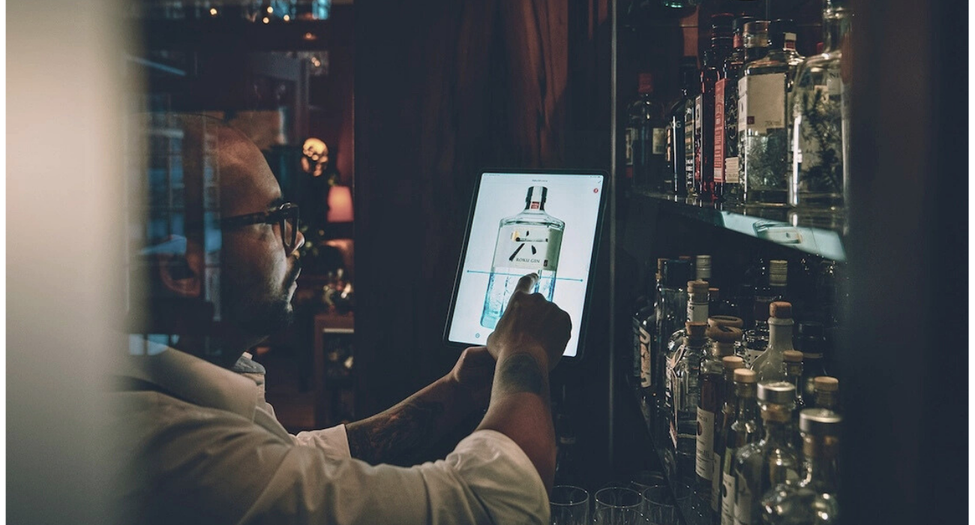
More than 1,000 venues in the DACH region work this way. At Schloss Elmau, the time needed for the stocktake at two bars fell from 6–8 hours to 2–3 hours. The stocktaking guide for operators describes the process in detail. The feature page on digital inventory shows the workflow in the product.
Frequently asked questions about inventory management in hospitality
What is an inventory management system in hospitality?
An inventory management system controls and documents all movements of goods: ordering, goods receipt, stock levels, consumption and sales. Compared with retail, hospitality adds the recipe – a cocktail is sold, but what is used is gin, syrup and lime in partial quantities.
What types of inventory management system are there?
Roughly four: closed systems with all modules from one provider, open best-of-breed systems connected via interfaces, integrated systems as a module of a POS or ERP provider, and end-to-end systems that also connect suppliers. For hospitality businesses with fewer than 20 sites, open systems are usually the most pragmatic choice because the POS can stay.
Do I need inventory management if I already have a POS?
As a rule, yes. The POS knows what was sold, not necessarily the counted stock. A stock module that only updates figures arithmetically shows what should have been used according to the recipe – shrinkage, breakage and over-pouring only become visible when compared with a counted stocktake. Whether your POS provider supports this comparison is a question for the demo.
What does an inventory management system for hospitality cost?
That depends on the number of sites, the range of modules and the migration effort. It only becomes comparable when you add up licence, setup, interfaces, hardware and training and spread them as cost per site per month over three years. Plain list prices say very little.
Can inventory management be done in Excel?
For small venues with few items, one site and one person counting, Excel works. From around 150 items, several sites or several people counting, the maintenance effort outweighs the benefit – and the GoBD requirement of immutability can hardly be met properly in a spreadsheet.
Does an inventory management system have to be GoBD-compliant?
As soon as the data forms the basis for bookkeeping or stock valuation, the GoBD requirements apply: traceable, complete, accurate, timely, orderly and immutable. Whether your specific use falls under this is best clarified with your accountant.
Conclusion
Inventory management in hospitality is not a software purchase but a decision about data quality. The value does not come from the system but from three things it makes possible: clean item master data, a stocktake that happens often enough to be meaningful, and a person who looks at the variances.
If you pay attention to recording speed, mobile usability and the connection of sales data when choosing, you get a system that is actually used in the venue. Everything else is a licence that is debited every month while the storeroom keeps ordering by gut feeling.

About the author
Lukas Graf
Managing Director

.jpeg)